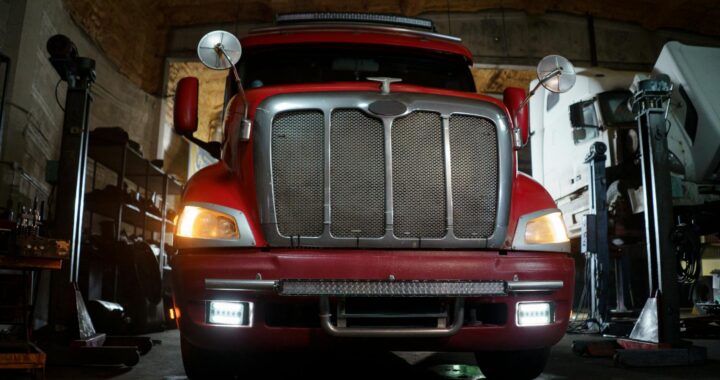
Smart Garage Inventory for Truck Equipment: RFID Tags and Apps Guide
Keeping a fleet of truck tools and accessories organized can feel like a full‑time job. A smart garage inventory for truck equipment solves that problem by pairing RFID tags with mobile inventory apps, giving you instant visibility and reducing time spent searching for the right part.
@@DASH_LI_START@@–
Why Choose a Smart Garage Inventory for Truck Equipment?
A traditional pegboard or shelf label system works, but it lacks real‑time updates. RFID (Radio‑Frequency Identification) tags attached to each item broadcast a unique identifier that an app can read instantly. The benefits include:
- Speed:* Scan a toolbox in seconds instead of manually checking each compartment.
- Accuracy:* Reduce human error caused by misplaced or mislabeled items.
- Data Insight:* Track usage frequency, maintenance dates, and reorder needs.
- Scalability:* Add new tools or replace old ones without redesigning the whole system.
Decision Criteria: Picking the Right RFID Tags and Apps
| Feature | What to Look For | Why It Matters |
|---|---|---|
| Tag Frequency | Low‑frequency (LF) or high‑frequency (HF) | LF works through metal and liquids; HF offers longer read range. |
| Durability | Waterproof, impact‑resistant coating | Truck garages are harsh environments. |
| Battery vs. Passive | Passive tags need no power; active tags have a battery for longer range | Passive is cheaper and sufficient for most garage setups. |
| App Compatibility | iOS/Android, cloud sync, export options | Ensures you can access data on any device and share with team members. |
| Cost per Tag | $0.10‑$0.50 for passive, $5‑$10 for active | Balance budget with performance needs. |
Recommended Features for Truck Equipment
1. Metal‑Friendly Antenna* – Prevents signal loss on steel tools.
Step‑by‑Step Checklist for Setting Up Your Smart Garage Inventory
2. Audit Your Equipment*
- List every item you keep in the garage (wrenches, lifts, spare tires, etc.).
- Note size, weight, and typical storage location.
3. Select RFID Tags*
- Choose passive LF tags with a metal‑friendly design for heavy tools.
- Purchase enough tags plus a 10% spare buffer.
4. Install an Inventory App*
- Download a reputable app that supports custom fields (e.g., AssetTrack or ToolWatch).
- Create a new “Truck Garage” project within the app.
5. Tag Each Item*
- Clean the surface, apply the tag, and secure it with a zip‑tie or epoxy if needed.
- Scan the tag with the app and enter item details (name, model, purchase date).
6. Create Logical Zones*
- Define zones in the app (e.g., Floor‑Level Tools, Wall‑Mounted Gear, Heavy Equipment).
- Assign each scanned item to its zone for faster location filtering.
7. Set Up Alerts & Maintenance Schedules*
- Configure reminders for items that need periodic inspection (hydraulic lifts, fire extinguishers).
- Enable low‑stock alerts for consumables like tie‑down straps.
8. Test the System*
- Walk through the garage, scanning random items to verify read range and data accuracy.
- Adjust tag placement if any read failures occur.
9. Train Users*
- Conduct a brief walkthrough with anyone who will access the garage.
- Share a quick‑reference cheat sheet (QR code linking to the app’s help page).
Common Mistakes and How to Avoid Them
- Skipping Tag Durability Checks* – Cheap tags may peel off after a few months. Test a sample on a metal surface before bulk purchase.
- Over‑Complicating Zones* – Too many sub‑zones can make the app harder to navigate. Keep it simple: floor, wall, and heavy equipment.
- Neglecting Backup Data* – Relying solely on a mobile device risks data loss. Enable cloud sync or export a CSV weekly.
- Forgetting Safety Regulations* – Some tools (e.g., fire extinguishers) have mandated inspection intervals. Use the app’s alert feature to stay compliant.
When to Consider Alternatives
If your garage houses only a handful of items, a simple label system may be more cost‑effective. Conversely, if you manage a fleet of trucks across multiple locations, a centralized asset‑management platform with RFID readers at each site may provide better oversight than a single‑device app.@@DASH_LI_END@@ @@DASH_LI_START@@–
Frequently Asked Questions
Do I need a special RFID reader for my phone?*
Most modern smartphones can read passive LF/HF tags with an NFC chip. For longer ranges, a handheld RFID reader can be paired via Bluetooth.
Can RFID tags survive a drop or impact?*
Choose tags rated for industrial use; they are typically encased in rugged polymer that tolerates drops and temperature swings.
How often should I update my inventory data?*
Perform a quick scan during quarterly maintenance checks. Critical items (e.g., lifts) should be scanned monthly.
Is there a privacy risk with cloud‑based inventory apps?*
Use apps that offer end‑to‑end encryption and allow you to host data on a private server if needed.
What’s the typical read range for passive tags in a garage?*
Expect 2‑6 inches, depending on tag size and metal interference. Position tags on flat, non‑metallic surfaces when possible.@@DASH_LI_END@@ @@DASH_LI_START@@–
Conclusion
Implementing a smart garage inventory for truck equipment with RFID tags and a reliable inventory app transforms a chaotic workspace into a streamlined, data‑driven environment. By following the checklist, avoiding common pitfalls, and choosing durable tags, you’ll spend less time searching and more time on the road.@@DASH_LI_END@@ @@DASH_LI_START@@–
Editorial Note
This article is intended as practical planning guidance. Always verify product specifications, local codes, and site conditions before making final decisions.@@DASH_LI_END@@